Load Test
Put your APIs under real pressure. Pick one of five traffic shapes, chain multi-step user journeys, gate the outcome with thresholds on percentile latencies and error rate, and ship clean reports to your pipeline. No separate runner, no YAML language to learn, just the same editor you use for a single request.
Five Shapes of Traffic
Load, stress, spike, soak, or custom: one spec, one switch. Run the same user journey under every pressure profile without rewriting a thing.
Thresholds Turn Metrics into Gates
Set pass/fail rules on average response, percentile latencies, error rate, or throughput. The run ends with a clean verdict your pipeline can trust.
Import, Don't Retype
Drop steps straight in from your saved Box requests, the OpenAPI endpoints you designed in Projects, or an existing flow. Spec authoring is minutes, not hours.
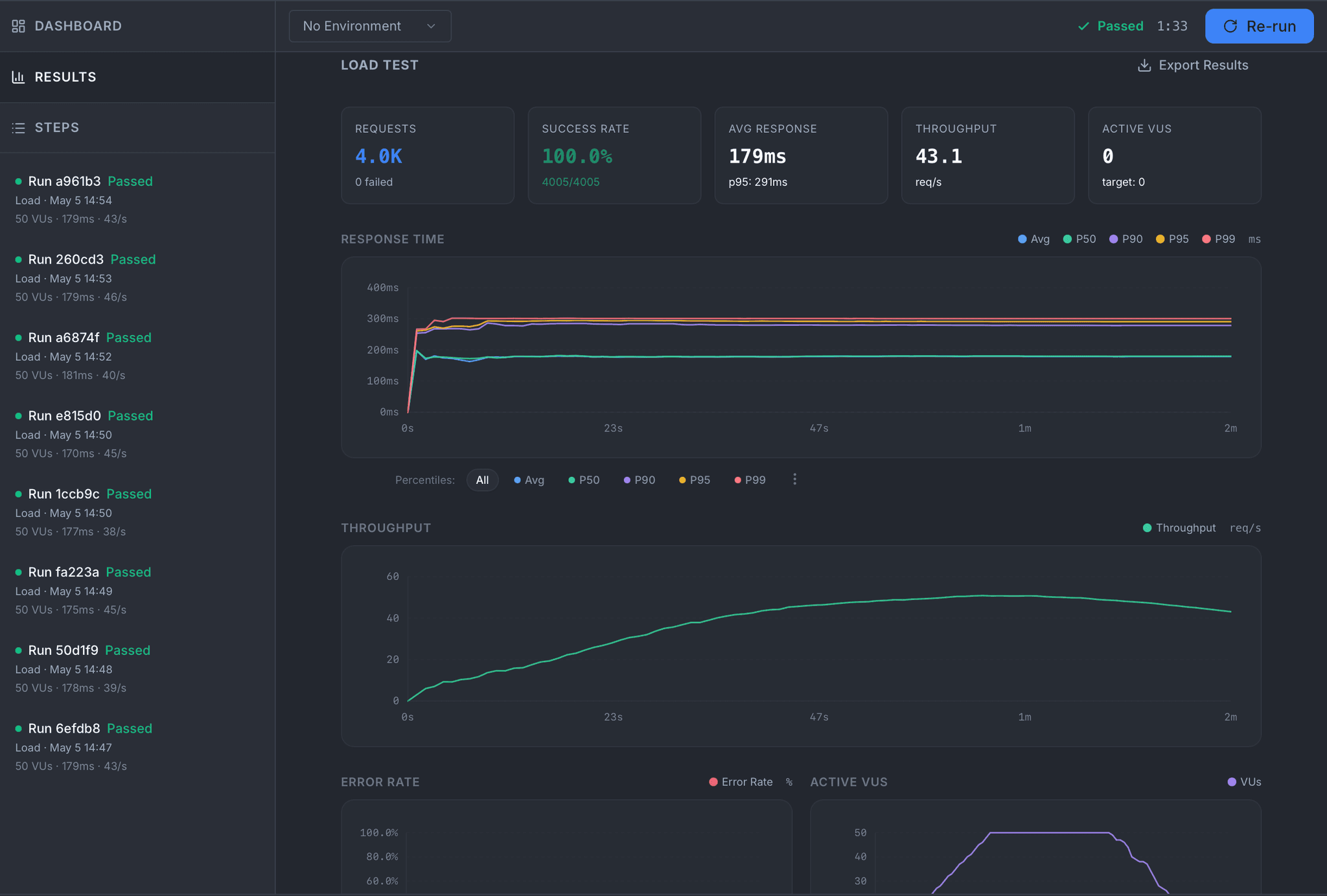
Live and Final Results
Watch requests climb in real time: active VUs, throughput, percentile latencies from P50 to P99, error rate, status code breakdown. When the test finishes, the same view freezes into your permanent record, with threshold verdicts front and center.
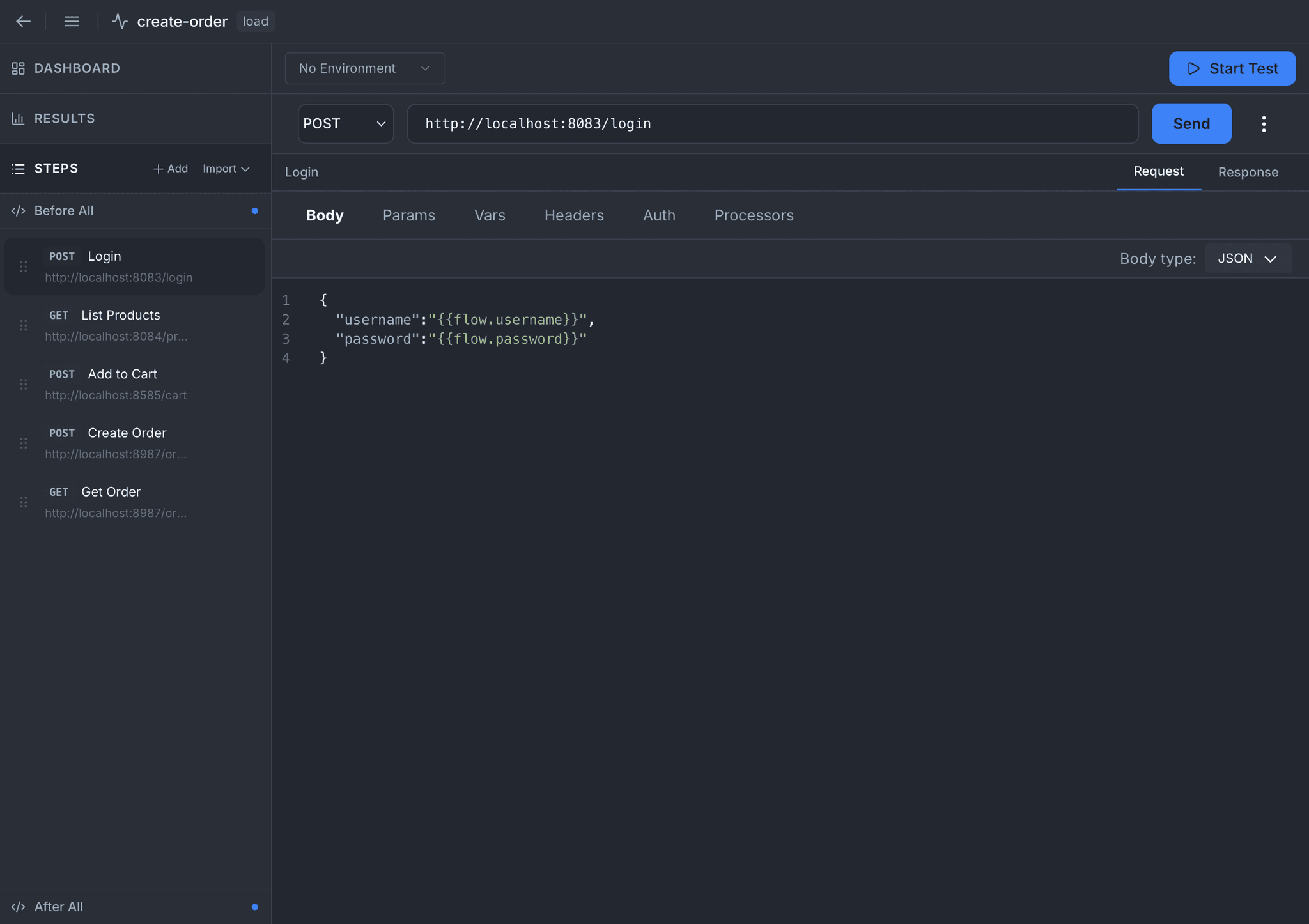
Step Editor
Every step is a full request panel: method, URL, body, params, headers, auth, variables. Reference anything the spec has already produced with the {{flow.*}} syntax. Assemble an end-to-end user journey the same way you would a single API call.
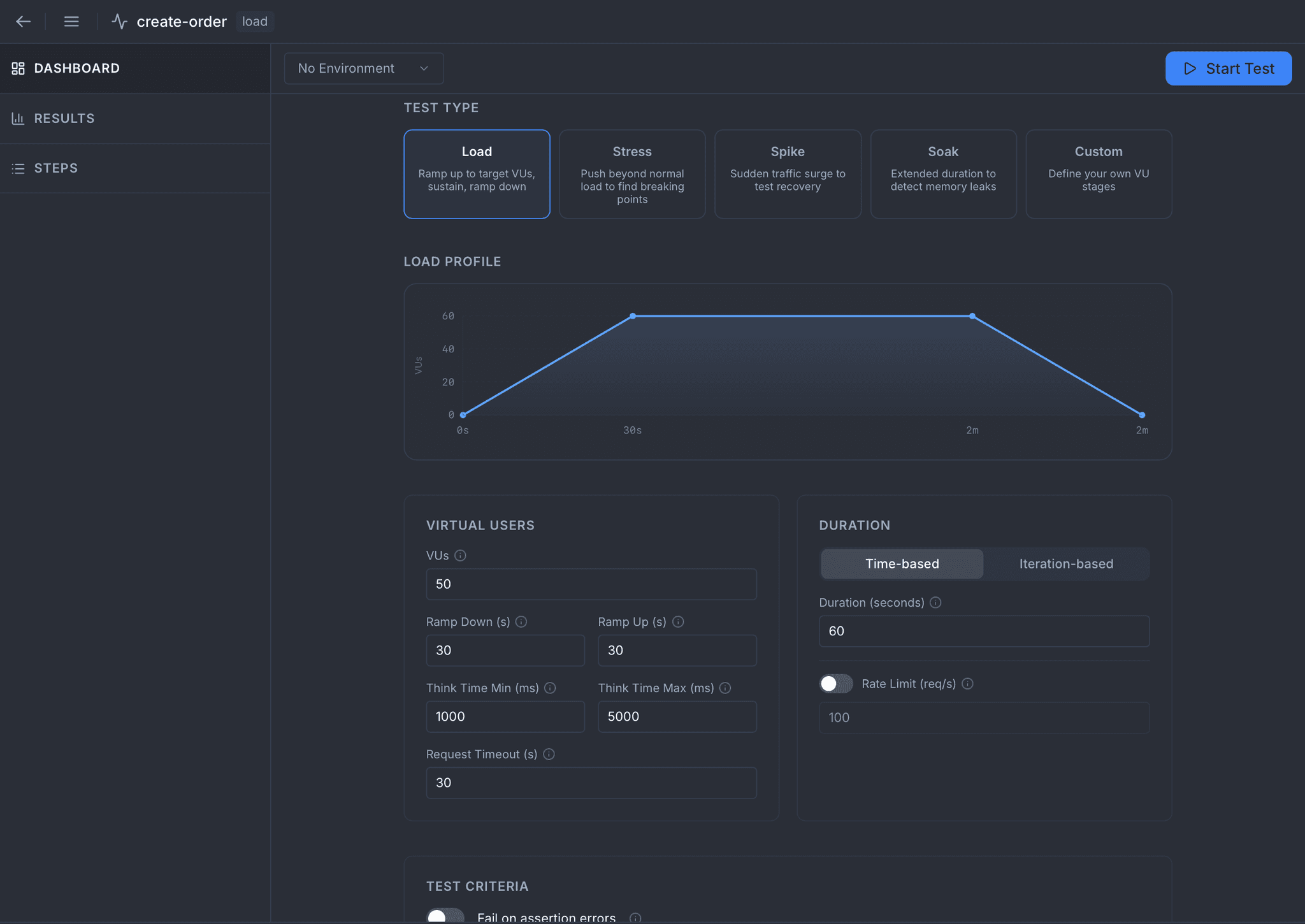
Test Configuration
Pick one of the five traffic shapes and watch the load profile render before you even press Start. Dial in virtual users, ramp periods, duration, think time, timeouts, rate limit, and OpenTelemetry export, all side-by-side with the same spec and switchable in one click.
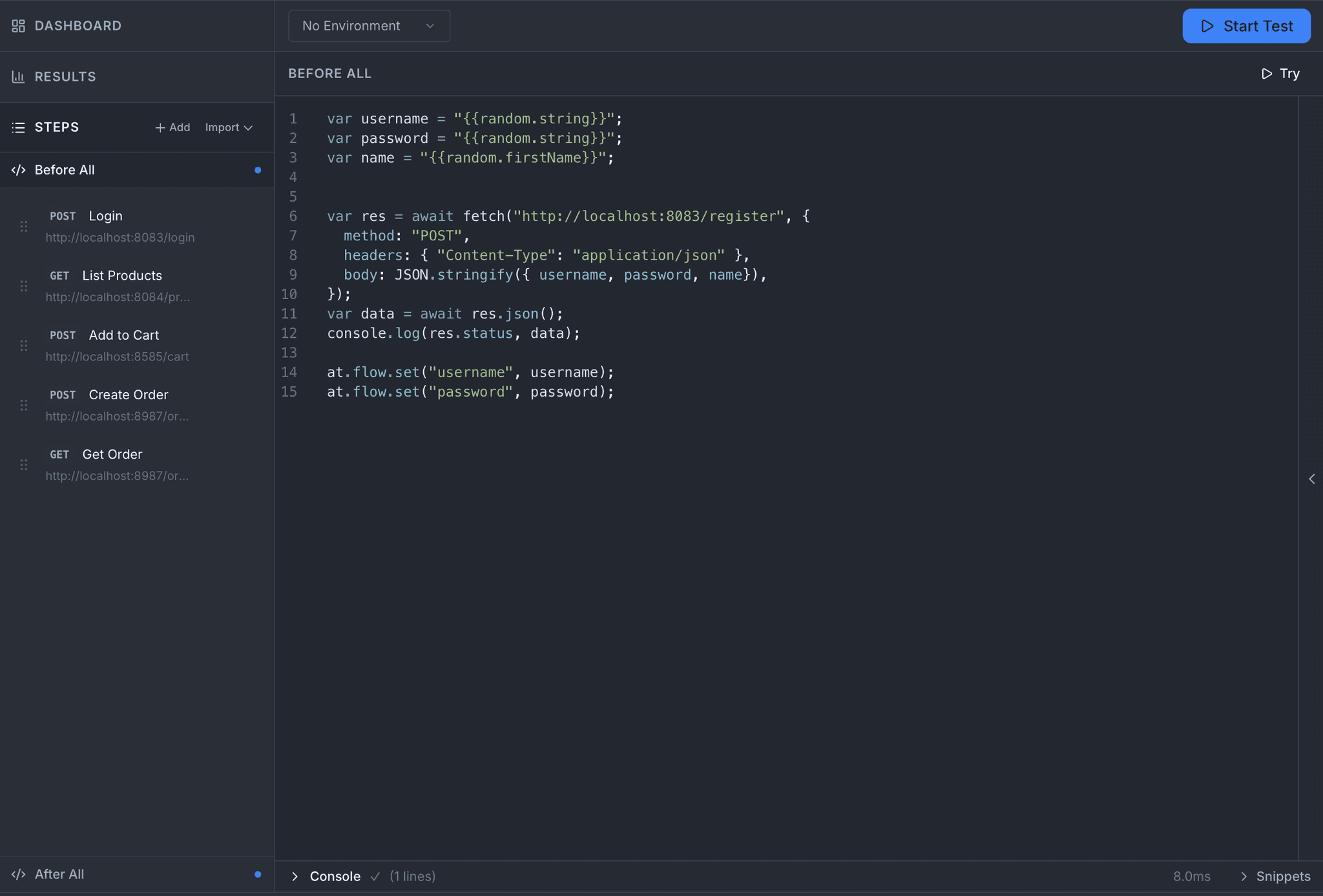
Before All
Seed the world before the first virtual user spawns. Register a fresh account, mint a token, prepare fixtures in the target system. The script runs once and its results are visible to every VU.
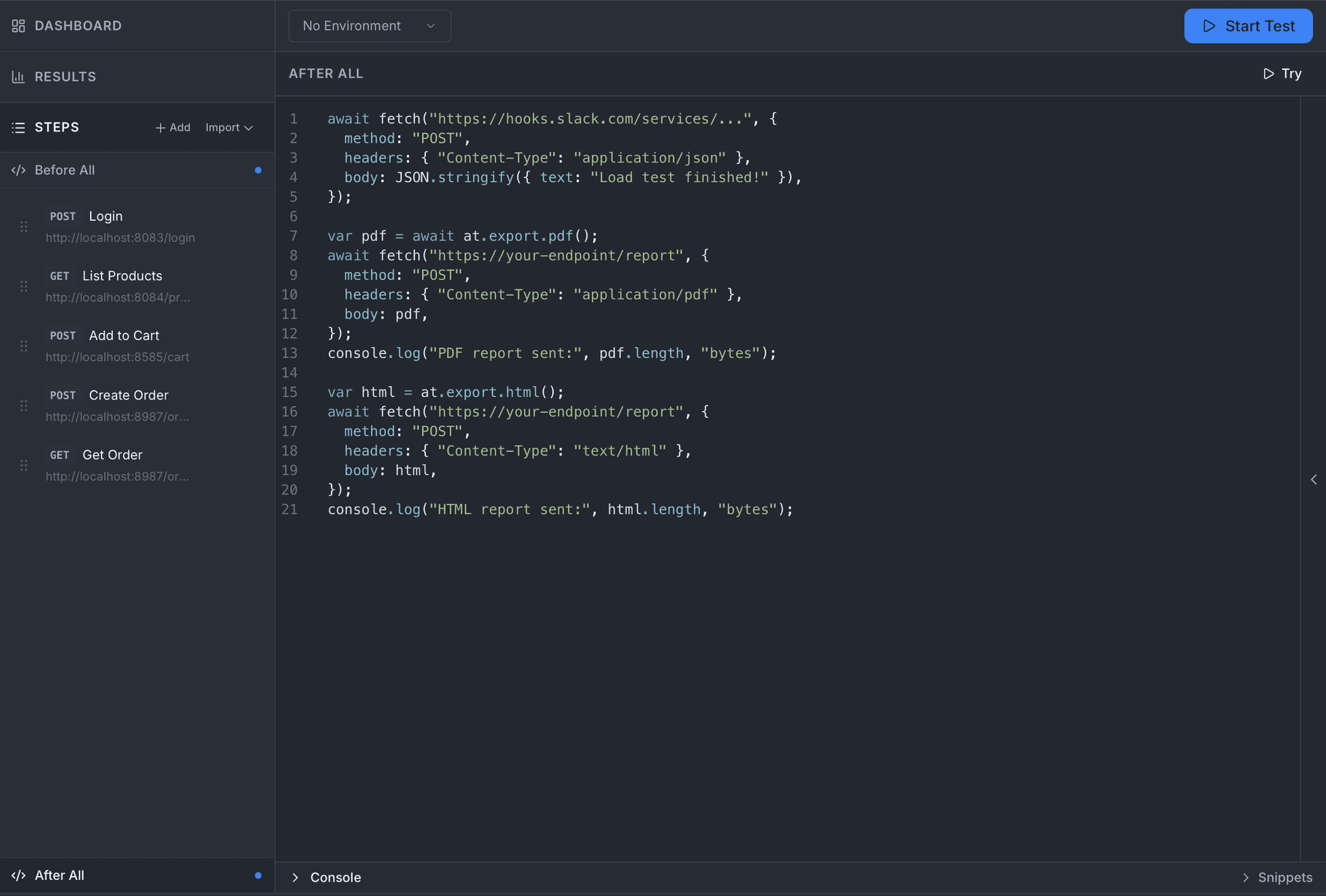
After All
Close the run with intent. Ship a Slack summary, post HTML and PDF reports to your endpoint, forward JSON to an observability pipeline. One script, no external runner required.
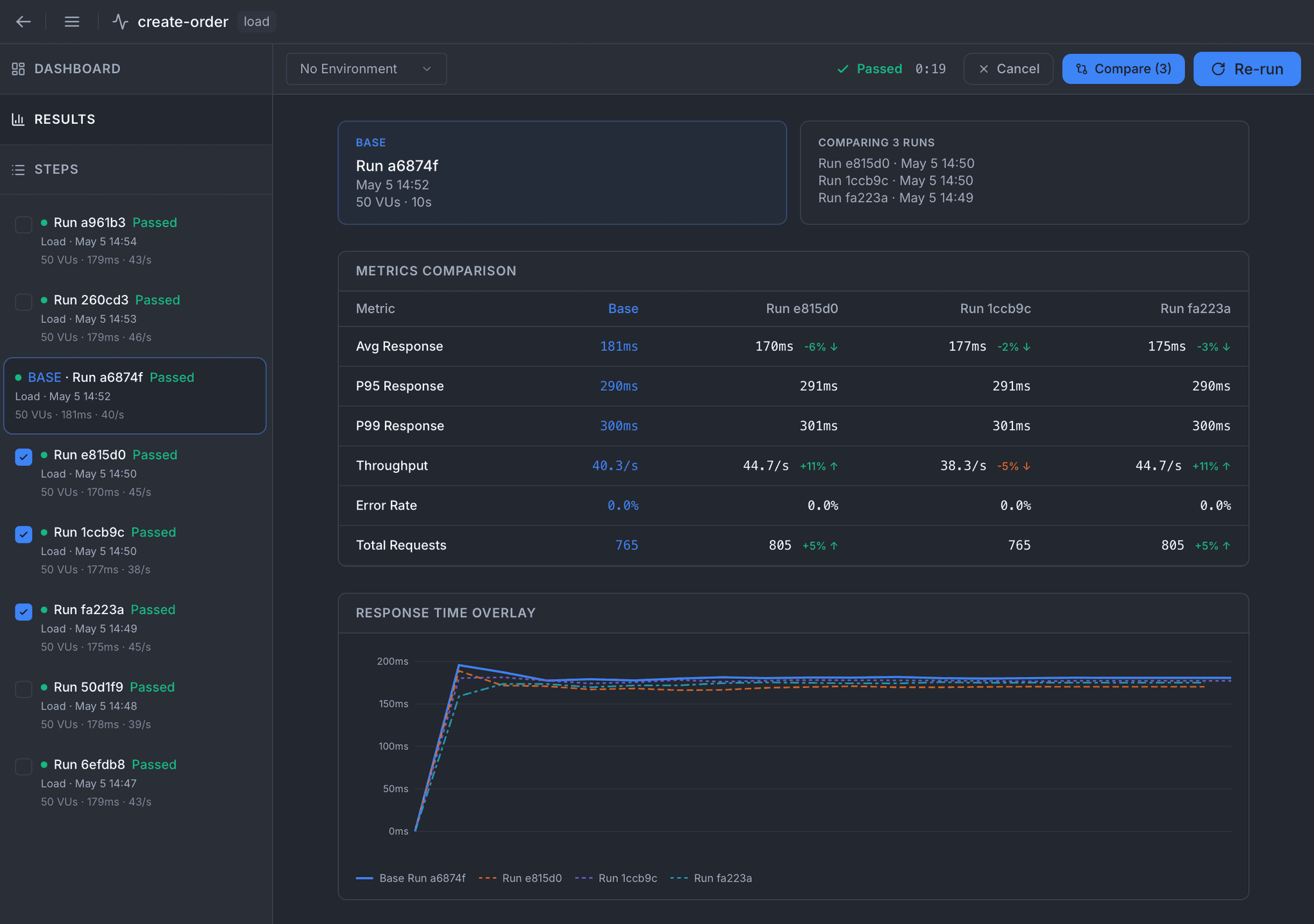
Compare Runs
Stack past runs against a baseline. Average, P95, P99, throughput, error rate, and total requests each show the delta, with a per-step breakdown and an overlaid response-time chart. Regressions surface before they ship.
Five Test Types, Five Stories
Each type has its own pressure profile and its own reason to exist. Atrahasis ships them built-in: you pick the shape, the engine handles the math.
Load
Ramp up to target virtual users, sustain, ramp down. The everyday pressure test.
Stress
Push beyond normal traffic to find the breaking point and watch how the system degrades.
Spike
Slam a sudden surge of traffic and measure how quickly the system recovers.
Soak
Hold a steady load for an extended period, the only way to catch memory leaks and slow degradation.
Custom
Define your own VU stages when none of the presets match the shape you need.
Every Step Is a Full Request
A load test step is not a stripped-down form. It is the same request panel you already know, with the extra bits a concurrent run needs.
Body
JSON, form-data, URL-encoded, raw text, or binary, using the same body editor you use for a single request.
Params & Vars
Query params and in-step variables, resolving {{variable}}, {{flow.*}}, and {{random.*}} substitutions.
Headers & Auth
Full header editor plus Basic, Bearer, API Key, OAuth 2, and OIDC auth configs.
Processors
Pre-script, post-script, and declarative assertions on every step, driven by the same at API used everywhere.
Extractions
Lift values out of each response by JSON path, header, regex, or status, then carry them to later steps.
Think Time
A min/max wait range set on the spec and randomized between virtual user actions, so the run paces like a human instead of a bot burst.
Gates, Not Guesses
A run finishes; a number flashes on the dashboard; someone eyeballs it and decides whether to ship. That is not a test, that is hope. Thresholds replace hope with a verdict.
Every threshold you set shows up in the results with its actual value and a pass/fail flag, so a pipeline can simply read the exit and move on.
Metrics You Can Gate
- Average response time
- P50, P90, P95, and P99 response time
- Error rate (%)
- Throughput (req/s)
Operators: <, >, ≤, ≥
Analytics You Actually Read
Live dashboards during the run, permanent record after. Signal surfaced, noise collapsed.
- Active virtual users vs target over the run duration
- Throughput chart and response-time chart with P50 through P99 overlaid
- Error rate, status code breakdown, and error categories (timeout, connection refused, assertion, HTTP classes)
- Per-step metrics covering requests, percentiles, error rate, throughput, and error breakdown
- Threshold verdicts with actual vs. expected values for every gate you set
- Run history panel with one-click access to any past run
Reports You Can Actually Send
Test ends, report is ready. Machine-readable or human-friendly, shipped wherever your team lives.
- JSON output in OpenTelemetry format for observability pipelines
- HTML report with the same layout you see inside the app
- PDF report that is printable, attachable, and archive-ready
- Built from a single call in your After All script
- Optional built-in OTel exporter streams live to any OTLP collector
- One-click Export Results button from the results panel
Built for Pipelines
Every spec you design in the app runs unchanged on the atra CLI. Pick the test type at invocation, watch live metrics in the terminal, and let the exit code gate the pipeline. Threshold verdicts and exported reports land straight into your CI artifacts.
See the CLI load testing guide# Stress test against staging
atra run specs -s create-order -t stress -e staging
# Spike test, gate CI on the exit code
atra run specs -s create-order -t spike -e prod
# Soak test for memory and slow leaks
atra run specs -s create-order -t soak
# Secrets straight from HashiCorp Vault
VAULT_AUTH="hvs.token@http://vault:8200" \
atra run specs -s create-order -t load -e prod
Ready to put your APIs under real pressure?
Download Atrahasis and ship load tests from the same editor you use for a single request.