Git Integration
Your API specs, flows, and load tests are code. Atrahasis treats them that way. A full Git client lives inside the app, with commits, branches, merges, stashes, and diffs that actually understand JSON. No external client, no context switching, no byte-by-byte diff you have to decode by hand.
No Context Switching
Every Git operation you need, from commit, push, pull and fetch to branch, merge and stash, is one click away inside the editor you are already using. No second app, no terminal dance.
Diffs That Read Like Changelogs
Atrahasis understands your spec files. Commit suggestions come out as create-order: virtualUsers updated, not a cryptic cluster of JSON lines. Reviews take seconds, not minutes.
Bring Your Own Remote
GitHub, GitLab cloud or self-hosted, Bitbucket, your own server: if it speaks HTTPS git, Atrahasis connects. Saved servers keep every remote one click away.
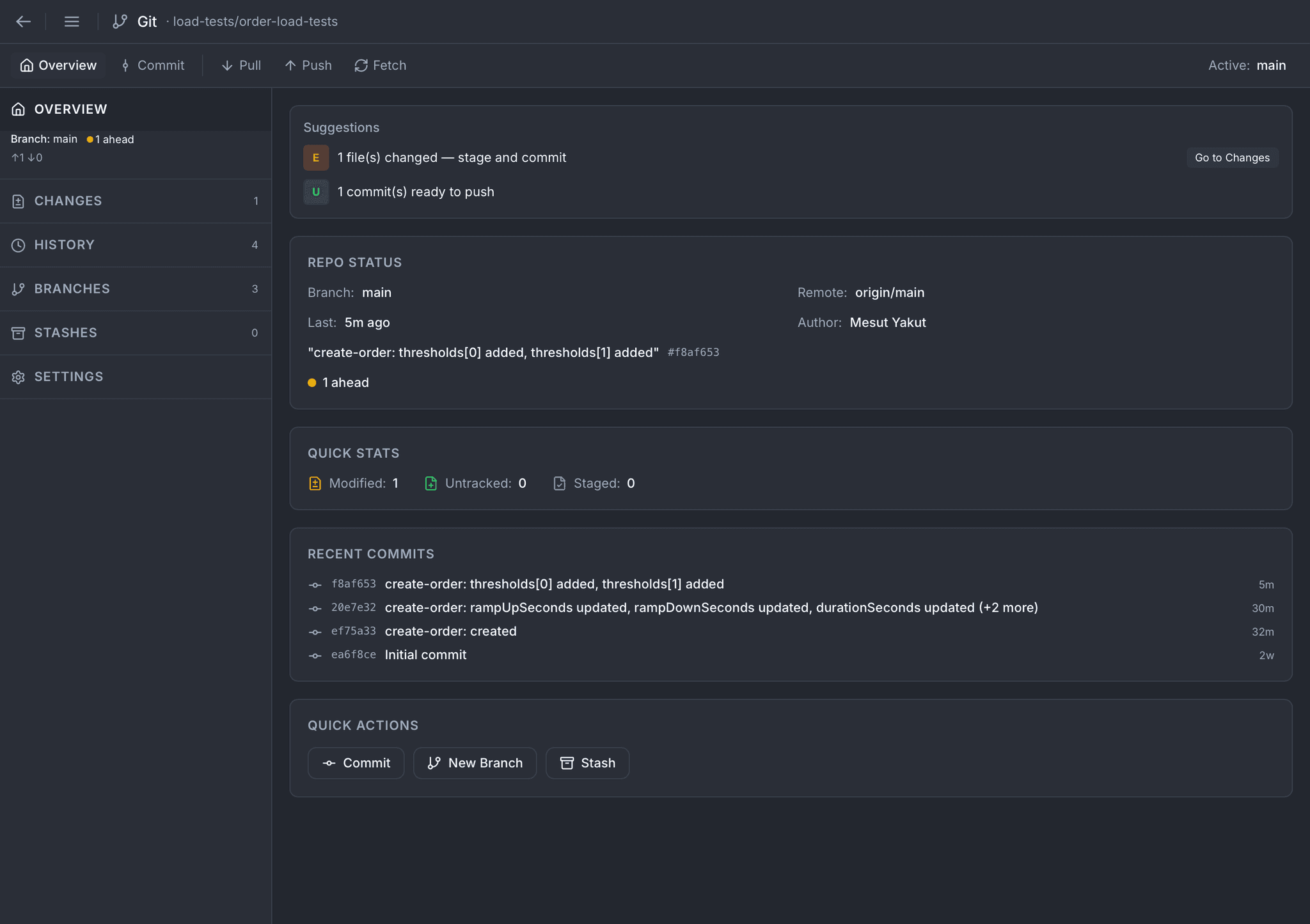
Overview
One glance tells you everything. Current branch, remote, sync state, what's modified, what's staged, the last few commits, and suggestions for what to do next. Quick actions for Commit, New Branch, and Stash are right there, with no menu diving.
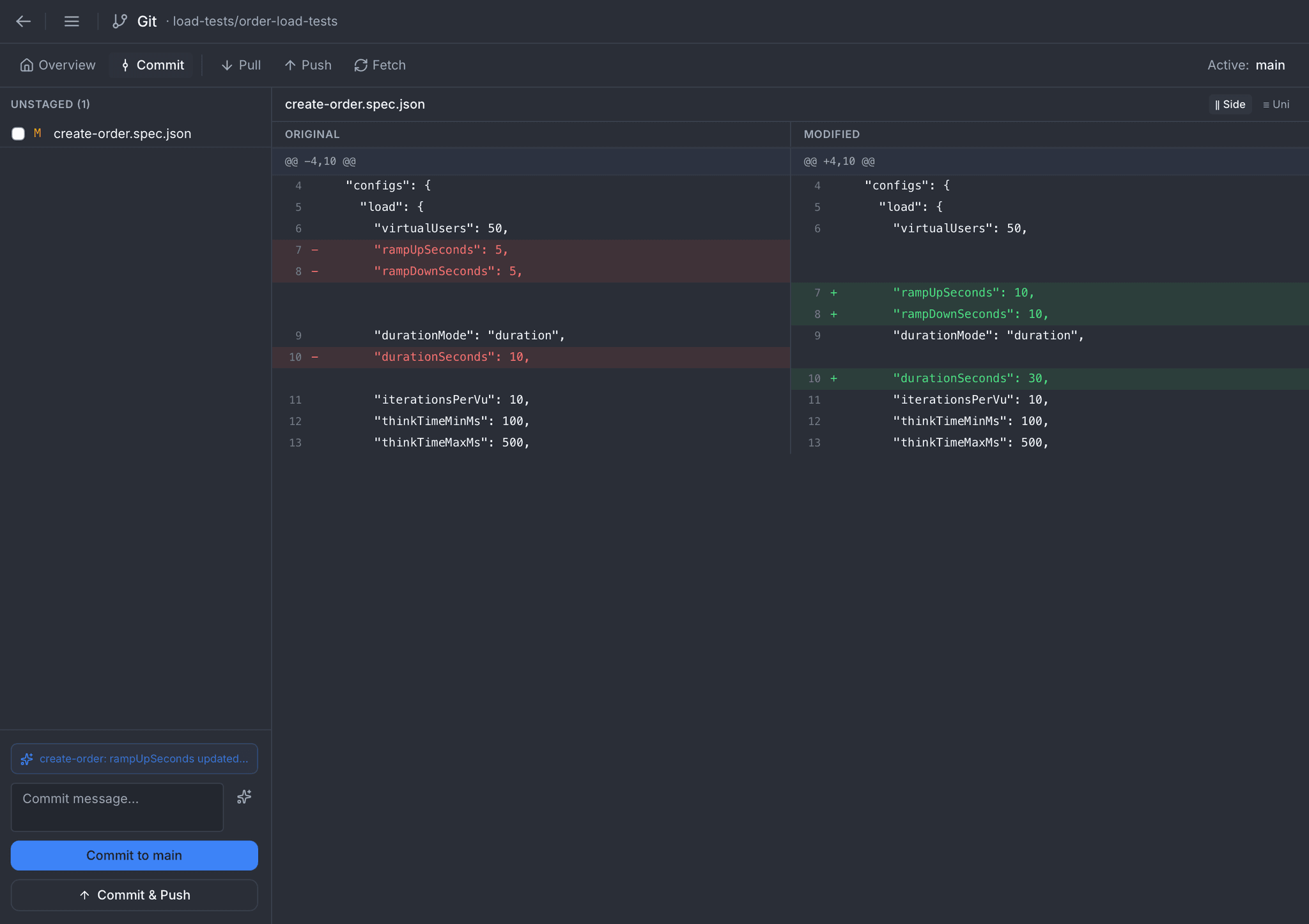
Commit
Review exactly what changed before you commit. Side-by-side diffs for every staged file, with JSON specs rendered so you read "virtualUsers updated, rampUpSeconds updated" instead of squinting at lines. Commit to the current branch, or Commit and Push in one move.
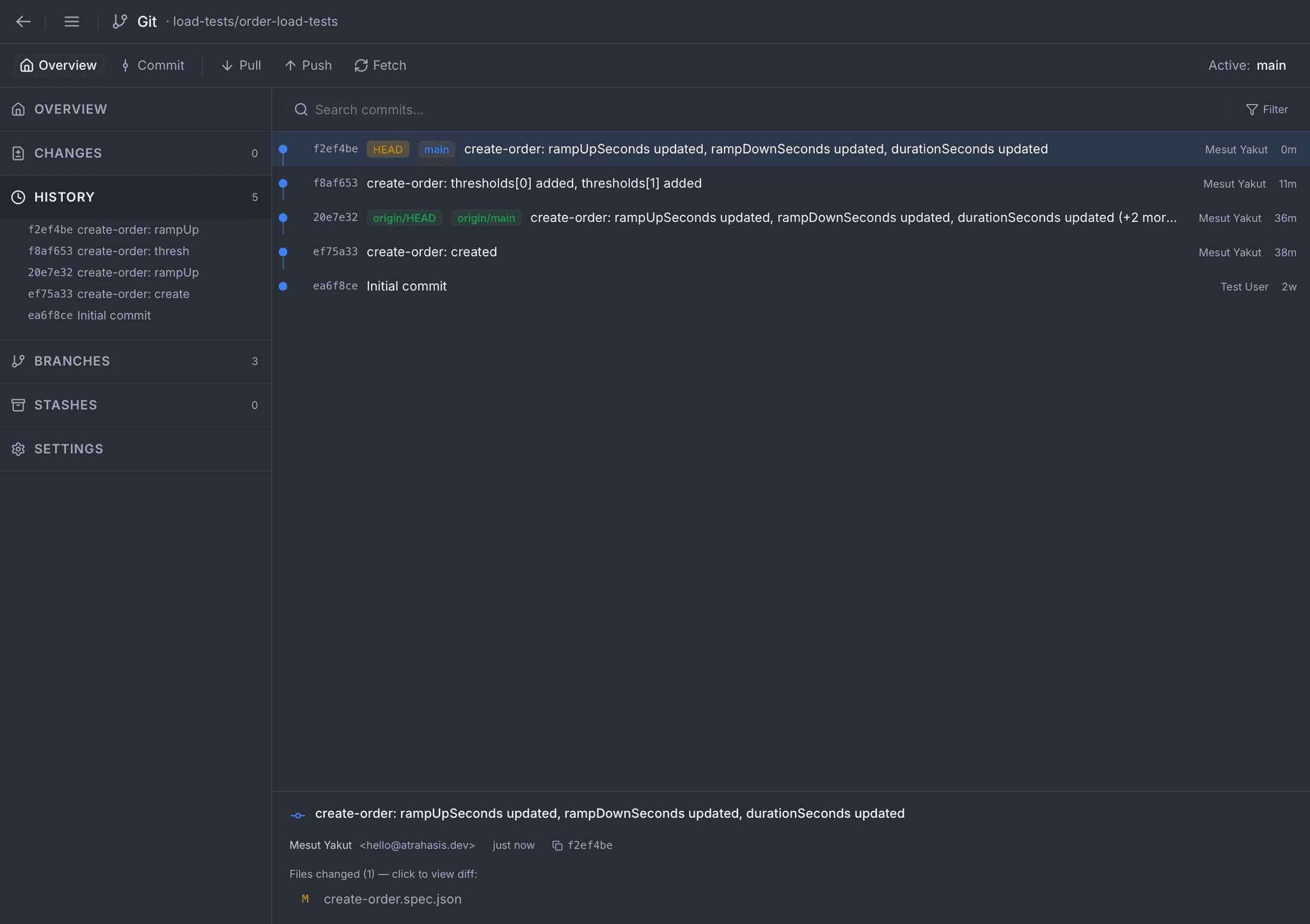
History
Every commit, searchable. Branch tags, HEAD marker, author, timestamp, and short hash on one line. Click any commit to see the author email, full hash, and the files it touched, then click a file to inspect the exact diff.
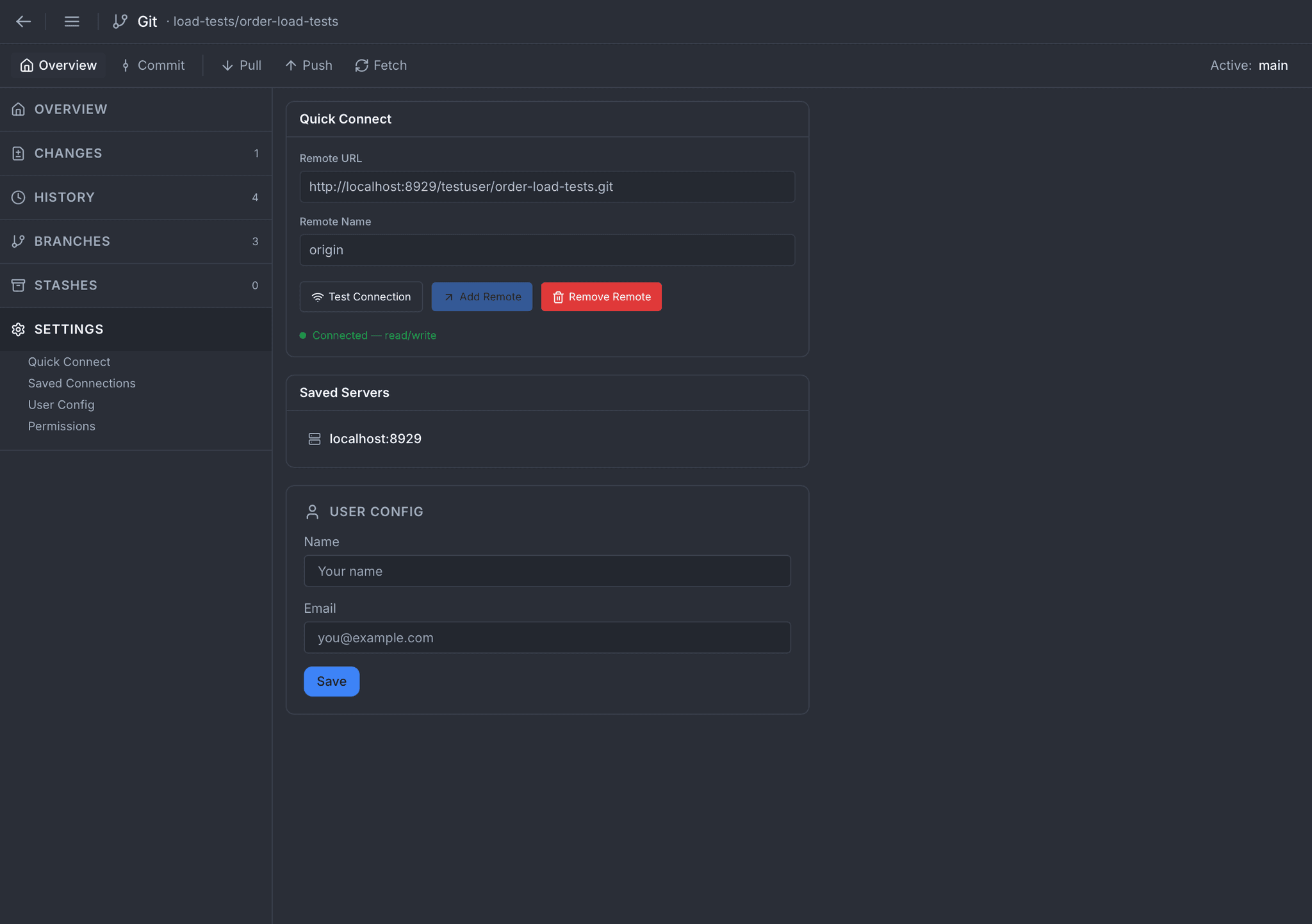
Settings
Quick Connect takes a remote URL and a name, tests it, and attaches it to the repo. Saved Servers keep your recurring remotes one click away, whether that is GitHub, GitLab (cloud or self-hosted), Bitbucket, or anything that speaks HTTPS git. User Config sets your name and email for every commit you make.
All the Git You Need
Every workflow a serious team relies on, right inside the app. No feature stubs, no "use the terminal for this one."
Fetch / Pull / Push
Full remote sync with progress. Force push, pull from unrelated histories, and conflict prediction before you pull a surprise.
Branches
Create, checkout, rename, delete. Browse local and remote branches side by side with ahead/behind counts.
Branch Compare
Pick any two branches to see commits ahead/behind, file diffs, and an overlaid graph of the divergence.
Merge
Visual conflict resolver with a three-way view. Pick chunks from either side or edit the result freely, and abort at any point.
Stashes
Save, pop, apply, and drop stashes. Preview the diff of any stash before you touch your working directory.
Setup Wizard
Guided setup for first-time repos: pick a path, set your identity, attach a remote, and commit your first version in a few clicks.
Search
Find any commit by hash, message, author, or file path. Filters and full-text search over the entire log.
Graph
Visual DAG of branches, merges, and tags: the whole repo structure at a glance.
Semantic Commit Messages
Most Git clients hand you an empty commit message and a wall of JSON changes. Atrahasis reads the changes, picks out what actually matters, which fields moved, which files were added or removed, which specs you renamed, and hands back a commit message you would have written yourself.
Accept it as-is, tweak it, or override it. The suggestion is always one line away.
Example suggestions:
Works With Every Remote You Already Have
Not every team lives on one host. Atrahasis speaks to any HTTPS git endpoint, keeps your remotes organized, and validates the connection before it asks for a single byte of data.
Remote & Identity
- HTTPS remotes for GitHub, GitLab (cloud or self-hosted), Bitbucket, and anything that speaks git
- Saved Servers keep recurring remotes one click away
- Multi-remote support, so you can add as many as you need per repository
- Test Connection button validates credentials before you push a single byte
- User Config sets the name and email used for every commit
- Permissions panel shows what the current remote token can and cannot do
One Workflow, Desktop to Pipeline
Commit your flows and load-test specs to the same repository as your application code. On the next push, the atra CLI picks them up and runs them in CI. No separate test repo, no drift between what your team designed and what the pipeline executes.
See how atra picks up committed specsReady to version-control your APIs properly?
Download Atrahasis and run your entire Git workflow inside the tool you build with.